
Generate sequential serial numbers with prefixes and leading zeros
Use a sequence when labels need consecutive asset IDs, batch serials or ticket numbers. Set the numeric start and padding once; Label Studio creates the rows with a step of one. Choose a barcode format that accepts your prefix and suffix before exporting.
Example outputs
| Prefix | Start | Count | Minimum digits | Result |
|---|---|---|---|---|
| WH- | 1 | 3 | 6 | WH-000001, WH-000002, WH-000003 |
| (empty) | 95 | 3 | 4 | 0095, 0096, 0097 |
| ASSET- | 999 | 2 | 3 | ASSET-999, ASSET-1000 |
Generate sequential serial numbers
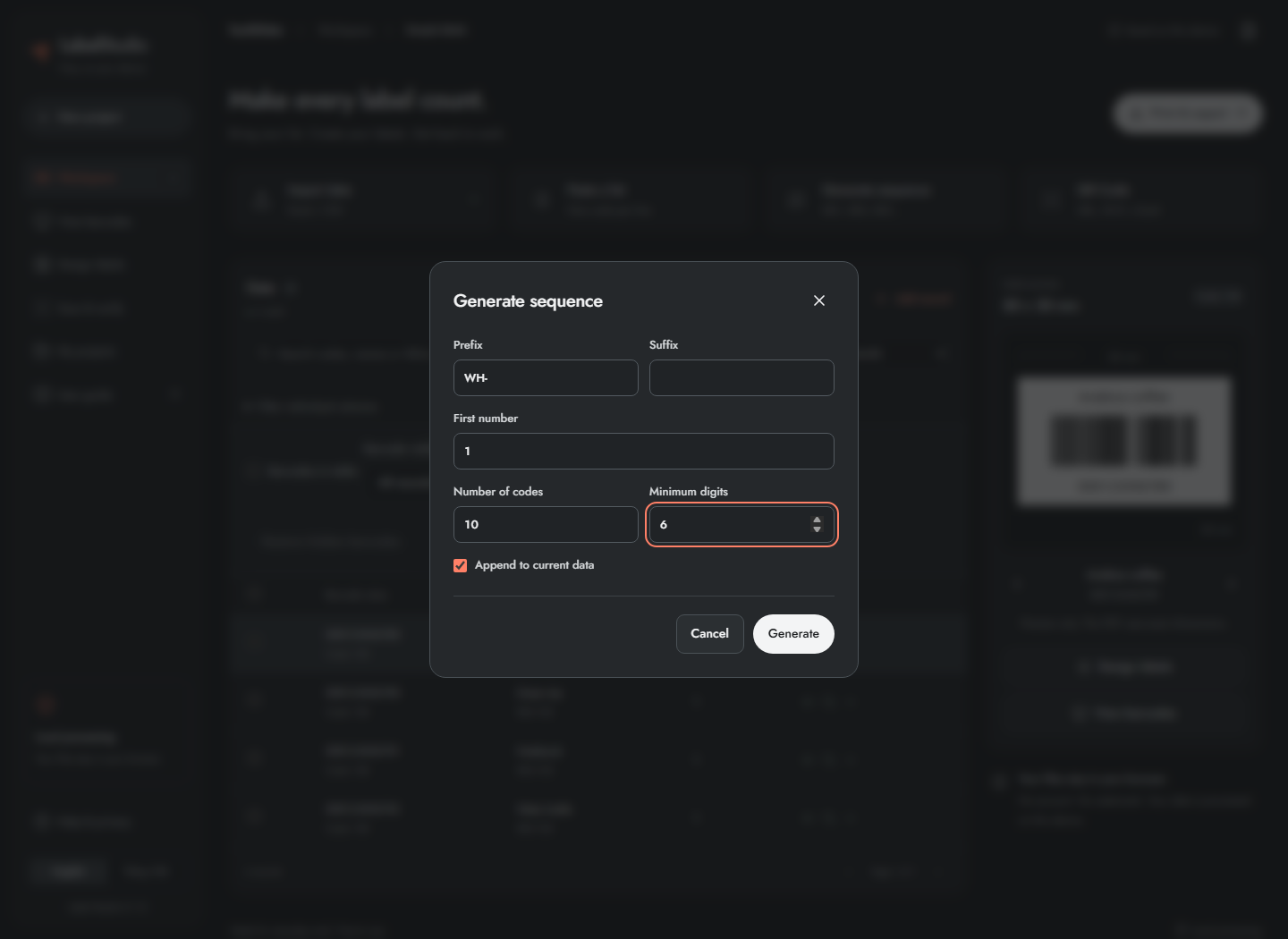
- Click Generate sequence.
- Enter Prefix, such as
WH-, and an optional Suffix. - Enter First number, for example
1. - Set Number of codes, for example
10, and Minimum digits, for example6. - Select append or replace, then click Generate.
This example produces WH-000001 through WH-000010. The numeric part increments by one. Minimum digits is padding, not a maximum length. Nonnegative integer starts, 1–50,000 codes and 1–30 digits are supported. Exact integer generation also handles values beyond JavaScript's ordinary safe-integer range. A custom increment and automatic SKU rules are not implemented.
Frequently asked questions
Does minimum digits truncate a longer number?
No. It pads shorter numbers with zeros. A sequence starting at 999 with three minimum digits continues as 1000; it is not truncated.
Can I use a custom increment or generate official retail numbers?
The current increment is one. The generator does not assign official retail GTINs or produce attribute-based SKU combinations.